


For EYP organising teams
A little less assignment work. More time for the session.
Masterplan Optimiser can help an organising team turn a session programme into a workable plan for people, tasks and locations. It handles repetitive allocation work while leaving the decisions with the team.
Why it exists
Built from a practical organising problem.
The first version was made in winter 2024 to reduce the time spent assigning recurring session work. Since April 2025, it has grown through testing and conversations with organisers.
Organising taught me that logistics are never only logistics. A clear masterplan affects how calmly people communicate, whether work feels fair and how much attention remains for the session itself. MP-Opt grew through real planning, testing and conversations with organisers; each suggested allocation is still a starting point for the team to review together.
Where it fits
A planning aid between the programme and the live session.
- 01
Team
People, groups and capabilities
- 02
Programme
Tasks, times and locations
- 03
Review
Constraints, workload and adjustments
- 04
Session
An approved shared schedule
MP-Opt can suggest and check assignments. The organising team still decides what is appropriate, communicates with people and responds to what happens on site.
A session-shaped workflow
Four practical stages, with the relevant screen shown at each one.
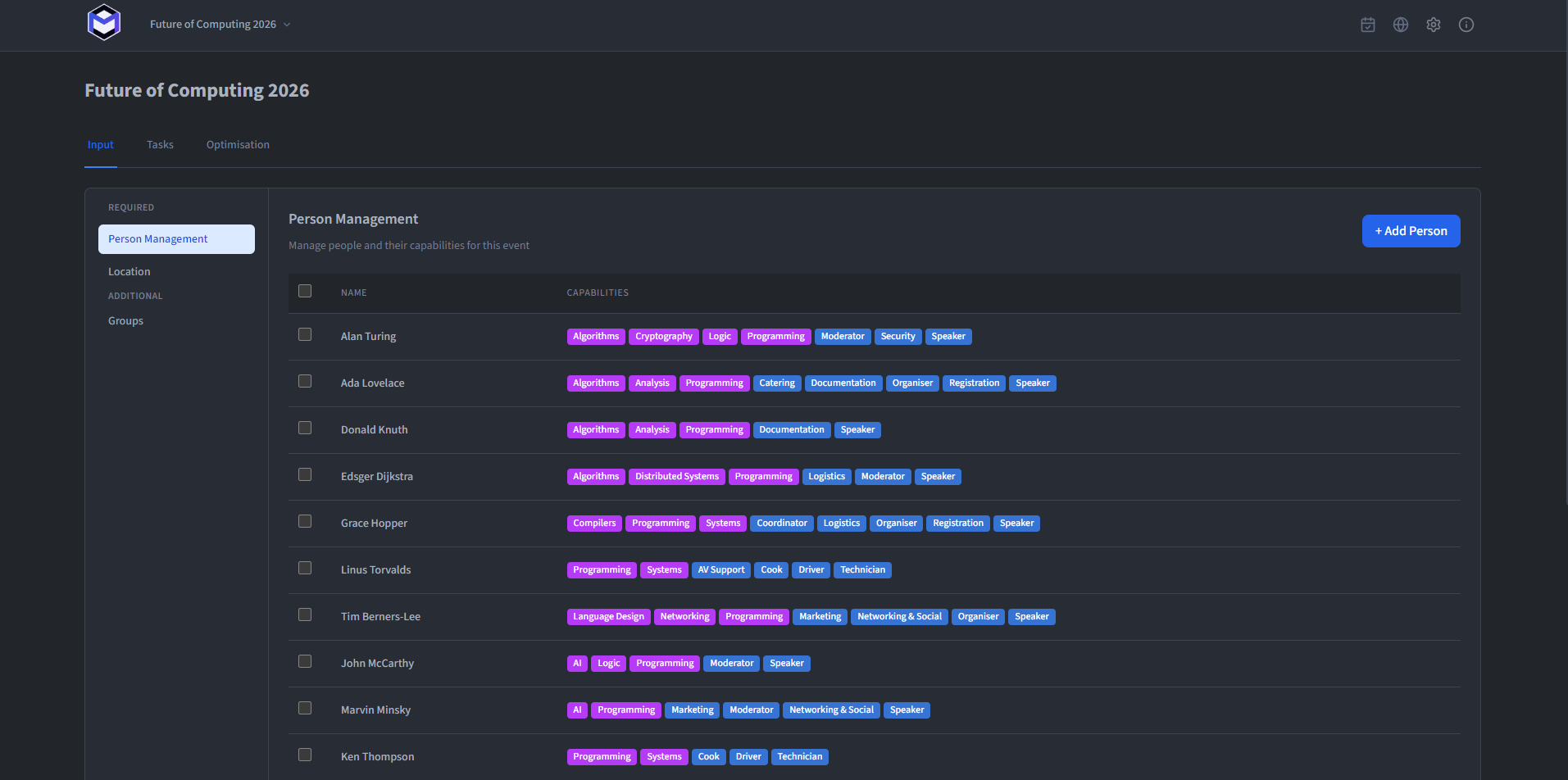
Describe the organising team
Add organisers, groups and practical capabilities such as driving, card access or department responsibilities. This gives the planner the same basic picture the organising team already works with.
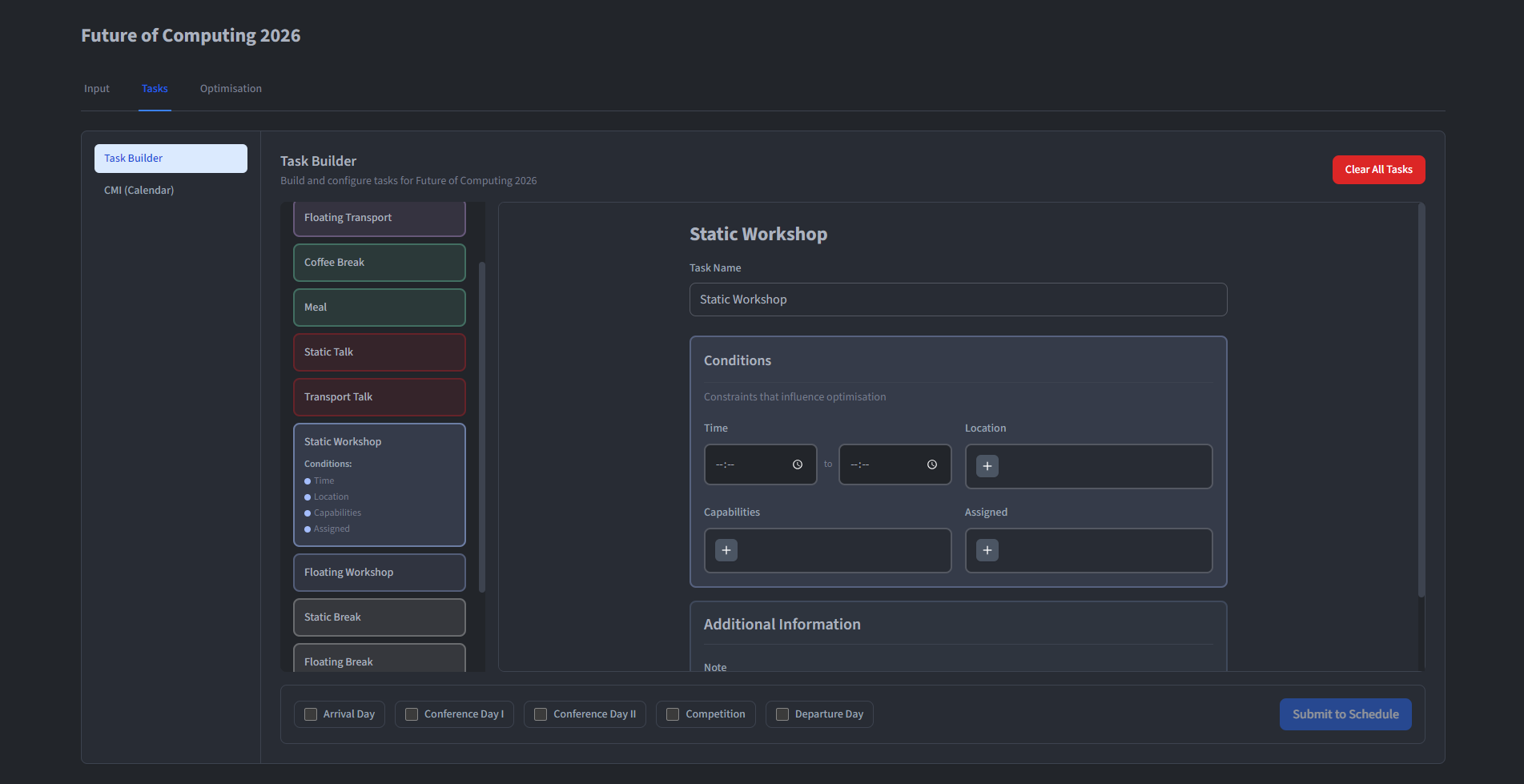
Turn the programme into tasks
Create the work behind the programme, place it in time and connect it to locations and staffing needs. Templates can save time, while each session can still be adjusted to its own programme.
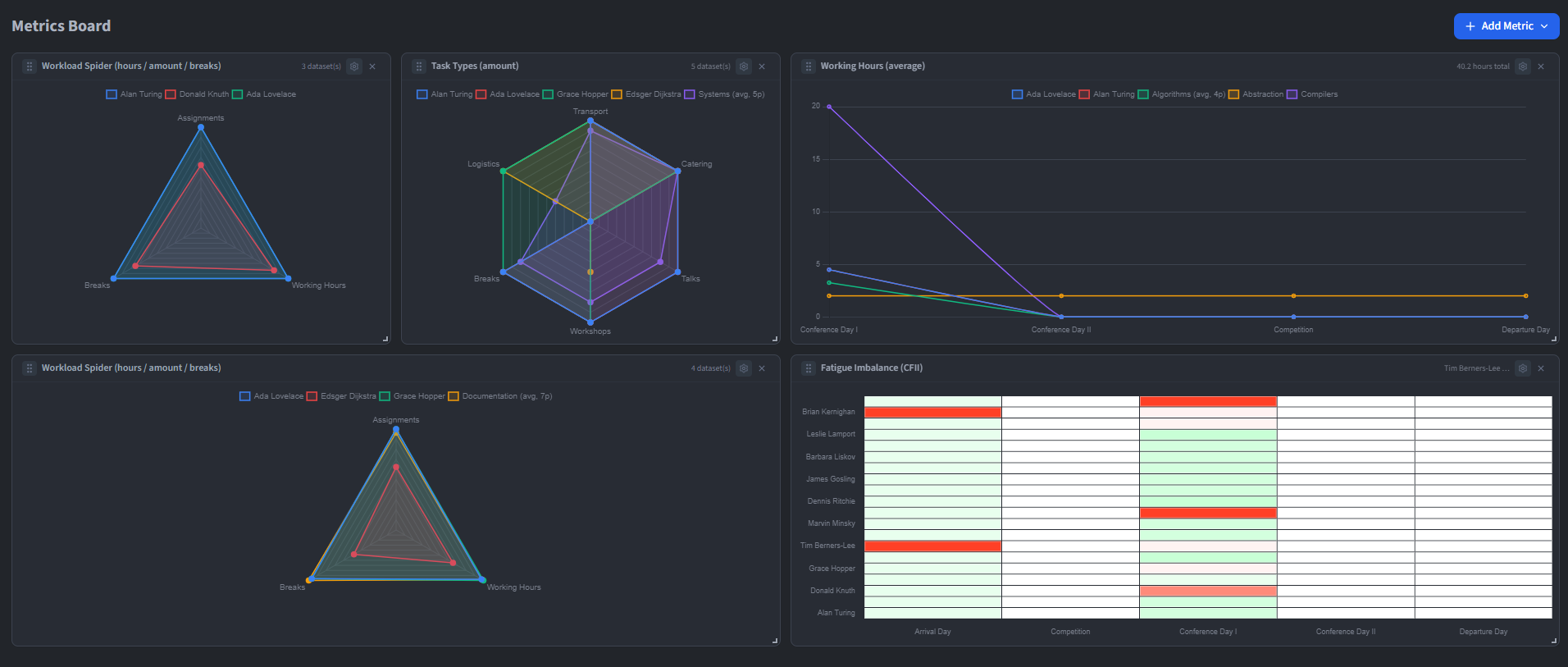
Review the proposed allocation
Let the optimiser handle the repetitive search, then inspect workload, fatigue and uncovered requirements. The result is a proposal for organisers to review—not a replacement for their judgement.
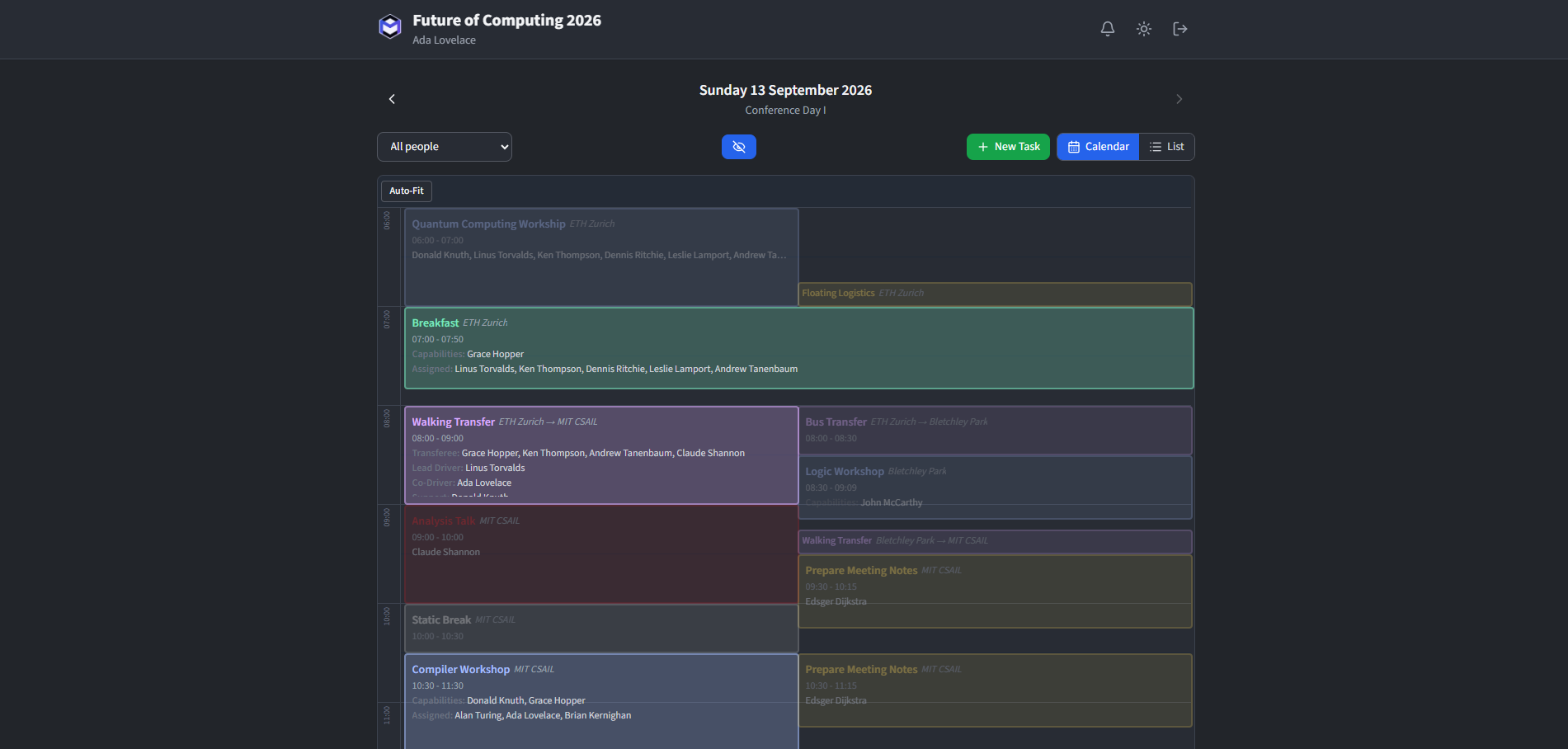
Share one approved masterplan
Publish only after the team is comfortable with the result. Authenticated organisers can follow their assignments, while a deliberately public schedule can show the participant-facing programme.
Questions and feedback
Trying MP-Opt for an EYP session?
If a workflow feels awkward or does not match the way your team plans, send it over. That is often the most useful guide for what to improve next.