
Operator Guide
Installation & First Deployment
Verify and install the signed Server release, then let the resumable TUI commission either a standalone service or a two-node HA pair.
Before connecting
- Use fresh Ubuntu 22.04 or 24.04 VPSs with provider-console access and SSH root access through verified keys.
- Choose the final application hostname before passkey registration. It becomes the WebAuthn relying-party identity.
- For HA, prepare two VPSs, a Cloudflare-managed zone, a temporary Workers Scripts Edit token, and a long-lived Zone Read + DNS Edit token restricted to that zone.
- Have real controller, provider, country, transfer, feature, and retention facts ready for governance commissioning.
- If SMTP is enabled, have its host, port, username, provider token, sender address, countries, and DKIM selector ready.
1. Verify and install signed Server v3.9.18
Workstation
Use the immutable release assets and exact manifest commit. Do not install from main or another moving branch.
TAG=v3.9.18
BASE="https://github.com/Brian-Funk/masterplanOptimiserV3---Server-Public/releases/download/$TAG"
curl -fL "$BASE/release-manifest.json" -o /tmp/mp-opt-release.json
curl -fL "$BASE/release-manifest.bundle" -o /tmp/mp-opt-release.bundle
curl -fL "$BASE/mp-opt-setup.sh" -o /tmp/mp-opt-setup.sh
# Verify the Sigstore bundle and bootstrap SHA-256 as documented by the release.
COMMIT="$(jq -er --arg tag "$TAG" 'select(.tag == $tag) | .commit' /tmp/mp-opt-release.json)"
sudo bash /tmp/mp-opt-setup.sh   --repository-url https://github.com/Brian-Funk/masterplanOptimiserV3---Server-Public.git   --ref "$COMMIT"
The bootstrap installs host dependencies, configures the firewall, creates the deploy operator, and installs mp-opt from the exact release commit. Docker membership and the validated passwordless sudo rule make this account root-equivalent; protect its SSH key accordingly.
Use the complete verification command from the immutable v3.9.18 setup guide before executing the bootstrap.
2. Start the resumable TUI
VPS SSH
ssh deploy@VPS_ADDRESS
mp-opt
Choose Fresh single-node server, Fresh two-node HA: create Node A and a join code, or Join an existing HA pair with a one-time code. Closing SSH pauses safely; reconnect and run mp-opt to resume the exact checkpoint.
3. Complete the selected deployment
Standalone: provide the hostname and requested runtime choices, publish the DNS-only record, and wait for signed deployment and public TLS health.
Fresh HA: keep Node A's TUI open while it deploys the scoped witness and displays the 15-minute join code. Bootstrap v3.9.18 on Node B, choose the join option, paste the code, and let Node A continue automatically after pairing.
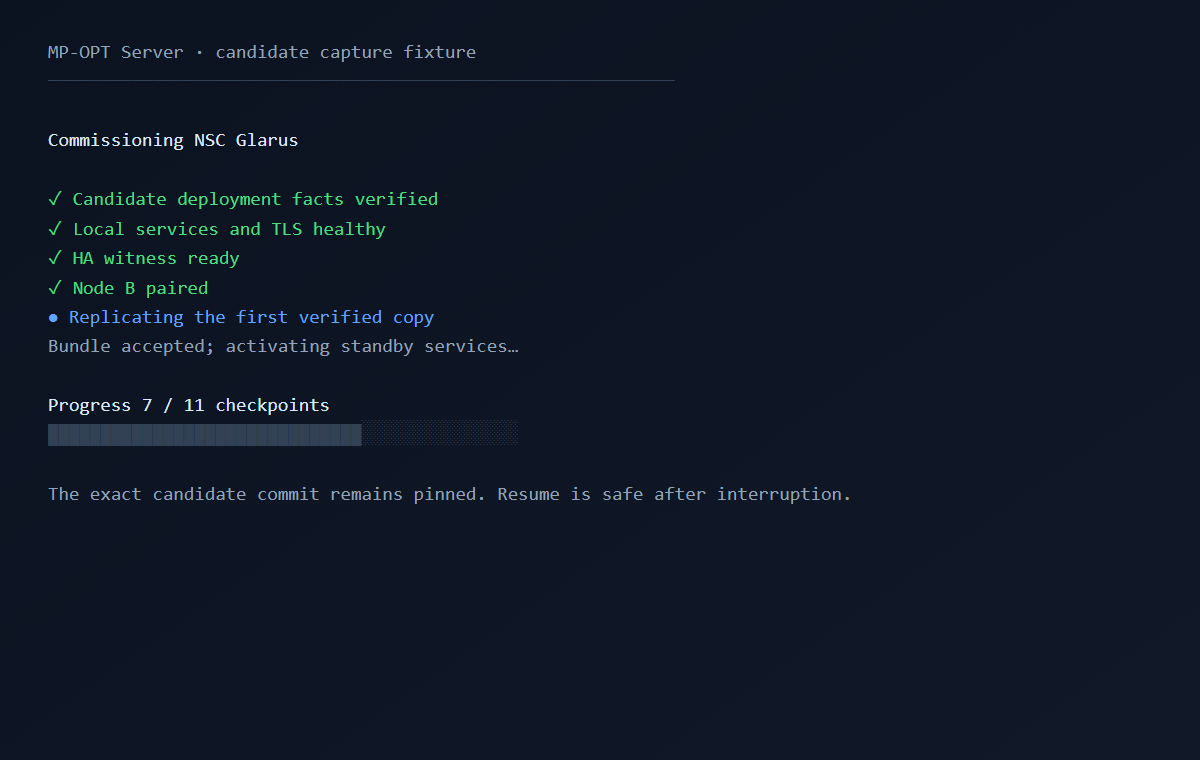
The HA workflow creates independent node-local SSH and age identities, installs the same signed release on both nodes, configures direct TLS and DNS-only routing, and accepts the first complete encrypted peer copy before enabling periodic protection. No Load Balancer, Origin CA, provider power API, or manually copied peer key is required.
See HA setup for the exact checkpoints and safe troubleshooting boundaries.
Import people without re-entering account email
Server v3.9.18 retains canonical UUIDv4 and deterministic UUIDv5 evidence identities from a Desktop-generated setup package. When a user entry contains an email address, the Server validates it before any write and stores it on the imported account for activation and additional-passkey mail.
An account may still be imported without email. It remains usable through a separately shared activation link, but email delivery is unavailable until an administrator adds an address. The Server never derives an email from a phone field or another identity.
Validate the installation boundary
After commissioning, deployment, restore, secret rotation, or a host-level change, open mp-opt and run Validate Compose, Caddy, health and permissions. Version 3.9.18 checks host paths, effective container identities, bind-mount direction, database and Caddy access, and the exact systemd read/write contract used by HA, snapshots, compliance, evidence and recovery.
Commissioning and scheduled recovery snapshots now share one host-local lease. A timer catch-up waits without stopping the Backend during setup or final validation, then creates its encrypted snapshot after commissioning releases the lease. The restricted snapshot service reuses the already-validated runtime command and does not invoke sudo or repair permissions.
The check uses bounded temporary probes and does not print secret contents. Do not continue with important data when the permission contract reports an unsafe path, owner, mode, mount, or service boundary.
4. Complete root commissioning
Browser
- Register the root passkey with the displayed bootstrap URL and code.
- Download the AGE recovery identity, reselect that exact file locally, and store two protected off-VPS copies.
- Generate or import the controller Ed25519 key, reselect it locally, and authorise its public identity with the root passkey.
- Import or enter governance facts, save the private draft, resolve preflight blockers, preview every notice, and publish immutable version 1.
- Run final checks and enter administration only after the setup page reports 100%.
The Server stores only the recovery recipient and controller public material. It does not receive either private key.
Activate the first invited account
The initial activation page shows a short processing summary and links to the full published details before passkey registration. Version 3.9.18 records one privacy-safe evidence entry containing pseudonymous references and the exact policy and consent-statement digests; names and email addresses do not enter the evidence ledger.
If registration cannot complete, the page now shows the Server's safe specific message. The activation link remains unused when passkey verification, consent recording, evidence writing, or standby protection fails, so correct the reported cause and retry the same flow.
5. Verify before real data
- Send a synthetic SMTP test when email is enabled and publish governance again if runtime features changed.
- Create, deep-verify, and export a full recovery snapshot; confirm its package ID and SHA-256.
- Create one synthetic event and enrol its Desktop processor.
- Invite one synthetic participant and verify first activation shows the effective published processing statement before passkey registration.
- For HA, test planned handover and automatic failover in both directions before relying on it.
Continue with standalone verification, recovery snapshots, and HA certification.