Masterplan Optimiser

Security & Audit

The Security tab provides runtime configuration for session policies, authentication parameters, data retention, storage limits, and a searchable audit log of all administrative actions. Changes to security settings require passkey re-authentication.

Session Lifetimes

Control how long user sessions remain active and when they expire due to inactivity:

  • Session lifetime (regular) — Maximum duration a regular user session stays valid before the user must log in again.
  • Session lifetime (admin) — Maximum duration an admin session stays valid. Kept shorter than regular sessions for security.
  • Inactivity timeout — Time of inactivity after which a session is automatically invalidated.

Authentication

Configure passkey authentication windows and activation link behaviour:

  • Re-auth validity window — After confirming identity with a passkey, sensitive actions are permitted for this duration without another prompt.
  • Activation link expiry — How long a newly generated activation link remains usable.
  • Passkey challenge lifetime — How long a passkey authentication challenge stays valid. Shorter values are more secure but give users less time to complete authentication.
  • Exchange code lifetime — How long the one-time exchange code remains valid after a successful passkey authentication, covering the window between passkey verification and session creation.
  • Re-auth challenge lifetime — How long a re-authentication passkey challenge remains valid for sensitive admin operations.

Data Retention

Set how long expired or revoked records are kept before automatic cleanup removes them:

  • Revoked session retention — How many days records of manually revoked sessions are kept.
  • Expired session retention — How many days records of naturally expired sessions are kept.
  • Used activation link retention — How many days records of already-used activation links are kept.
  • Audit log retention — How many days audit log entries are retained before permanent deletion.
  • Publish secret max age — Maximum age of the publish secret before a rotation warning is shown. Set to 0 to disable.

Limits

Configure storage and query limits:

  • Max snapshots per event — Maximum number of publish history snapshots stored per event. Oldest unfrozen snapshots are pruned when the limit is exceeded.
  • Announcements per event — Maximum number of announcements returned per event.

Note: Each setting shows its current value, default, and allowed range. Values that differ from the default are highlighted. All changes are recorded in the audit log.

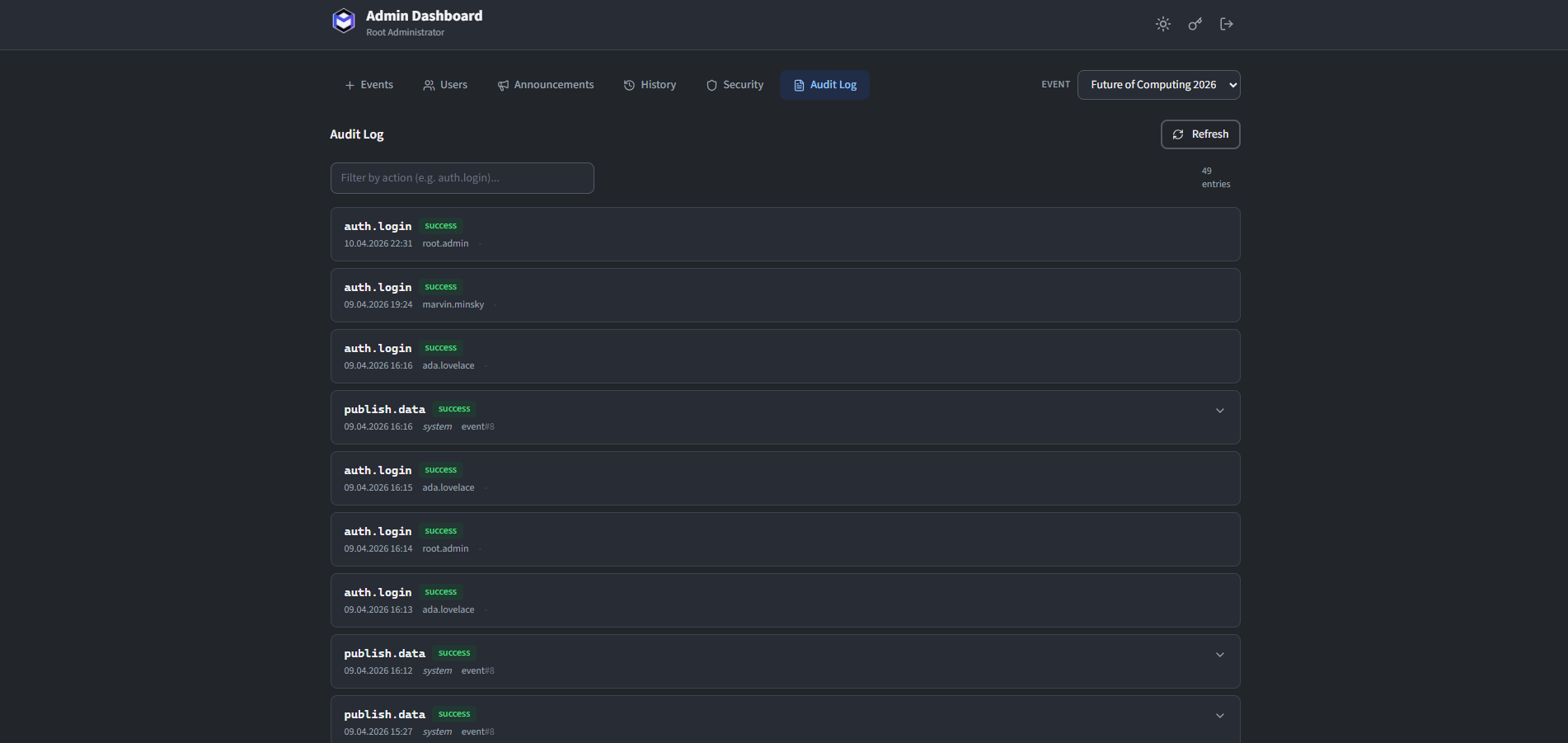
Audit Log

The audit log records every significant action performed by administrators and users. Each entry includes:

  • Timestamp — When the action occurred.
  • Actor — The admin or user who performed the action.
  • Action — What was done (e.g. user created, event deleted, snapshot restored, settings updated).
  • Details — Additional context about the action.

The log is paginated and can be filtered by action type, actor or date range.

The audit log table with filtering controls
The audit log with filtering controls.