
Understand the technology
Tasks and scheduling
Tasks are concrete instances of a template, each assigned to a specific day within the event's date range.
Choose how people are assigned
You can combine two forms of assignment: Persons to a task, both of which can be used simultaneously:
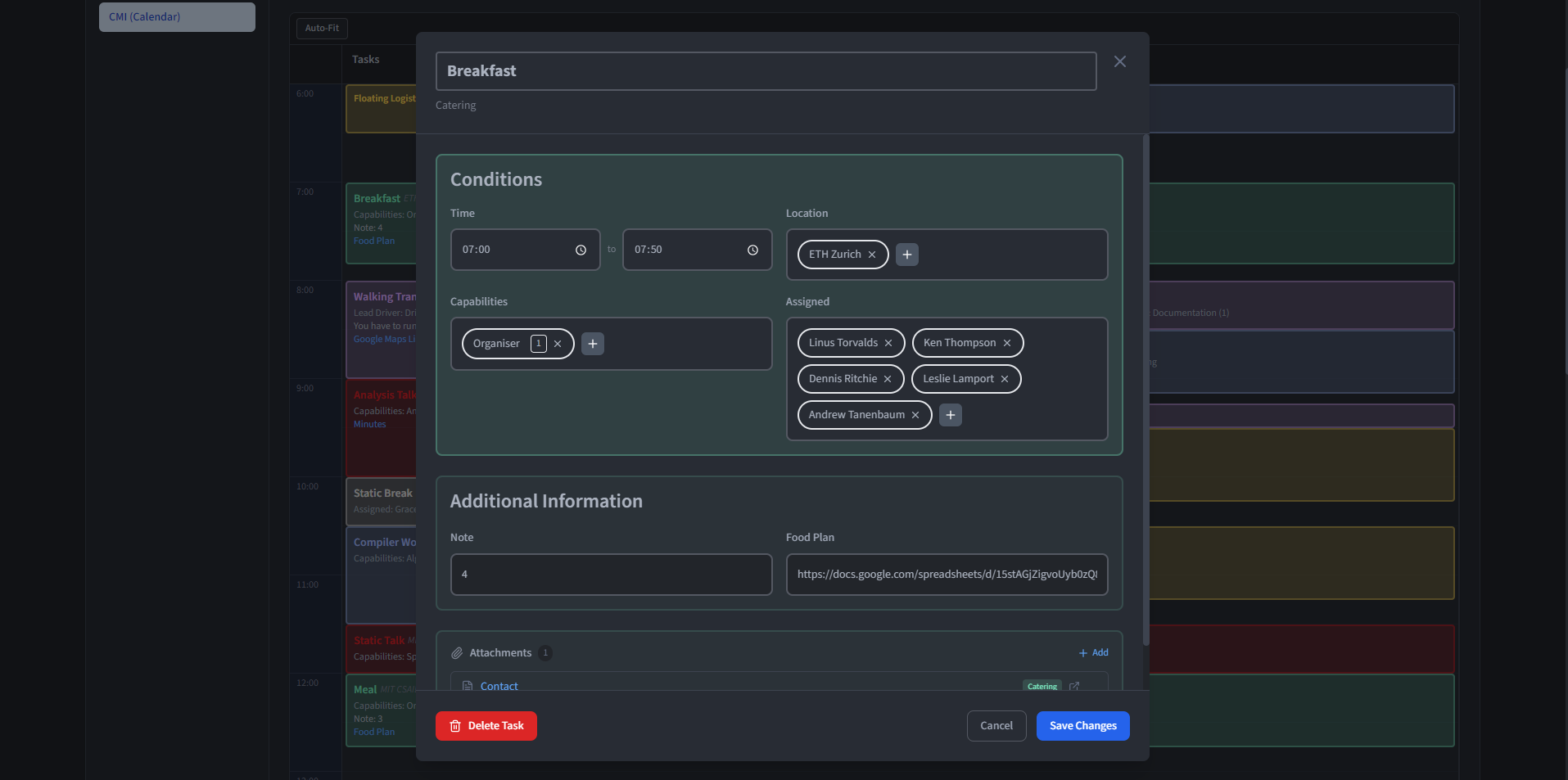
- Direct assignment (persons field) - Specific persons are added directly. These people are locked in and the optimisation must assign them to this task. This is useful when a particular individual must handle a task regardless of the overall schedule.
- Capability-based assignment (capabilities field) - Record which capabilities are needed and how many persons with each capability are required. The optimisation then selects the best-fitting persons from those available, considering their location, fatigue, availability and the overall schedule.
When both methods are used on the same task, the directly assigned persons are guaranteed their assignment, and the optimisation fills the remaining capability requirements with additional persons. A directly assigned person does not count towards the capability requirements, even if they possess the required capability.
Leave room for a floating task
A floating task gives the optimiser a window rather than one fixed start time. Record:
- A time range (i.e. 08:00 to 14:00) during which the task may take place.
- A duration (i.e. 90 minutes) that the task must last.
The optimisation evaluates multiple candidate time slots within the window and selects the one that minimises overall fatigue and respects all constraints. The resulting fixed time is then stored and displayed in the calendar.
This is particularly useful for tasks where the exact timing does not matter but the task must happen at some point during the day (i.e. a setup task that needs to be done before the main event but could happen at any point in the morning).
Transfers
Transfer tasks represent the movement of persons between two locations. Unlike normal tasks which take place at a single location, a transfer has a start location and an end location. All persons assigned to a transfer are moved from the start location to the end location by the optimisation.
Each transfer has a dynamic allocation limit, which defines how many additional persons beyond the required capabilities may board the transfer. The total capacity of a transfer is therefore the number of persons required by capabilities plus the dynamic allocation limit. The optimisation uses this capacity to move persons who need to be at the end location for upcoming tasks, without exceeding the specified limit.
Example: A bus transfer from the Main Hall to the East Wing might require one driver (via capabilities) and allow four additional passengers (dynamic allocation limit of four). The optimisation would assign the driver and up to four other persons who need to reach the East Wing.
Optimisation
The optimisation assigns persons to tasks for a given day while minimising overall fatigue and respecting all constraints. It proceeds in two stages:
- Feasibility check - Before optimising, the system validates whether the given set of tasks is satisfiable. This includes checking that enough persons with the required capabilities are available, that preassigned persons are not unavailable during their tasks, that persons can reach the required locations in time, and that overlapping tasks do not exceed the available capacity. If any of these checks fail, the conflicts are reported to the user for resolution.
- Fatigue optimisation - Once feasibility is confirmed, the optimiser assigns persons to tasks while minimising the total and per-person fatigue. It considers fatigue scores from task types, person availability, location constraints, transfer capacities, and the max hours per day limit for each person. For floating tasks, it additionally selects the best time slot within each task's time window.
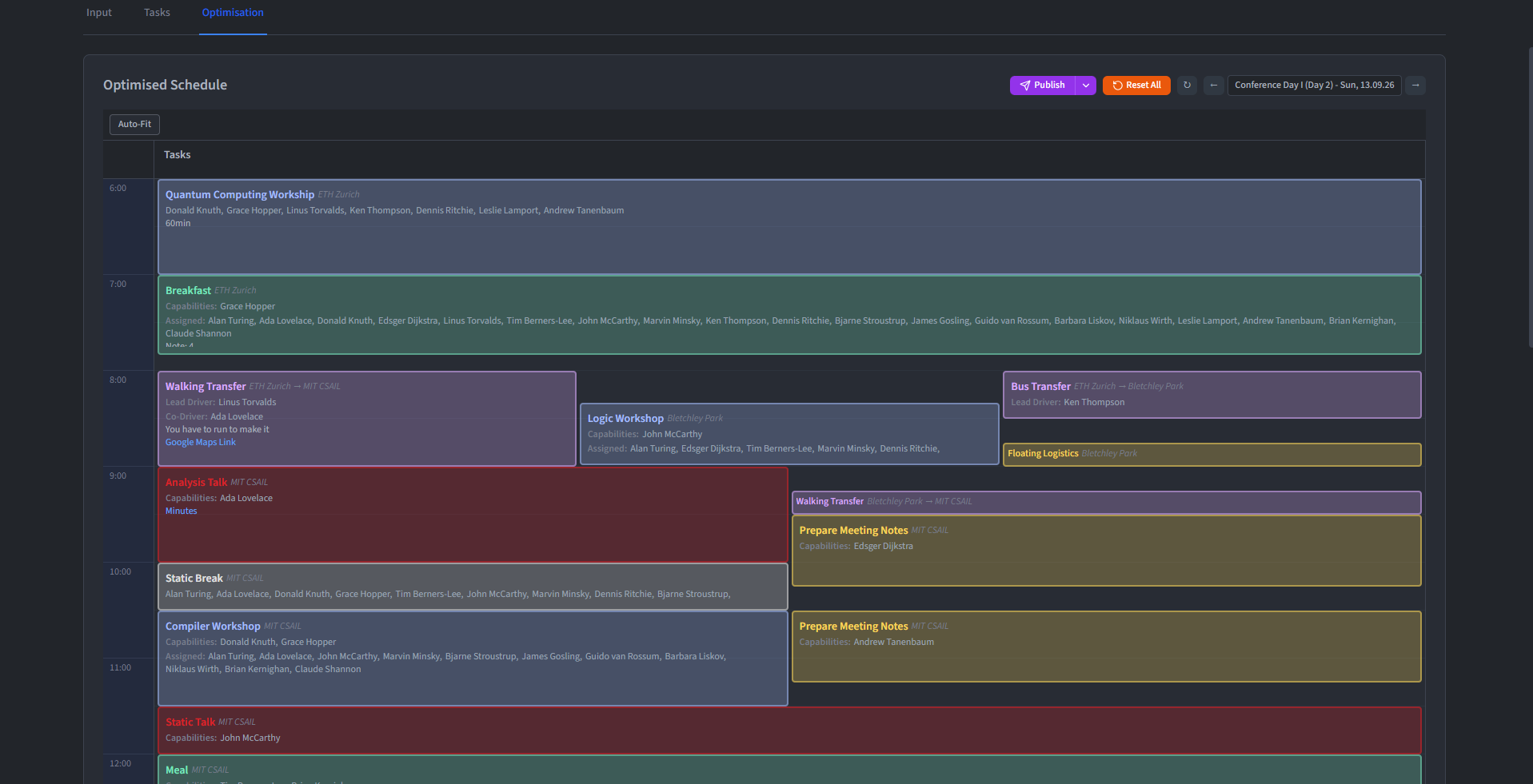
The result of the optimisation is an assignment of persons to tasks, and for floating tasks, a specific time within the given window. This result can then be fine-tuned if necessary before publishing.
Understand validation and conflicts
The feasibility check reports the conflicts that prevent a valid plan:
- Missing capabilities - A task requires more persons with a given capability than are available in the team.
- Unavailability conflicts - A preassigned person is unavailable during the time of their task.
- Location reachability - A person cannot reach the task's location because no suitable transfer exists before the task starts.
- Capacity overload - Overlapping tasks in the same time segment collectively require more persons with a given capability than are present.
- Infeasible time windows - A floating task has no valid time slot within its window that does not conflict with other constraints.
Important: When conflicts are detected, the optimiser stops before producing a misleading result. Review the reported tasks and constraints, adjust the plan, and run it again.