
Manage events and people
Delegate event-level account work
Give the Issuer role to someone who should manage accounts and communication for one event without receiving root or server-wide authority.
Understand the issuer boundary
An issuer is a user who can manage accounts, activation links, announcements and view publish history - but only for the event they are assigned to. This is useful when you want a local organiser or team lead to handle on-site user onboarding and communications without giving them access to server-wide settings, other events, or destructive operations.
Compare issuer and administrator access
| Capability | Issuer | Admin |
|---|---|---|
| Create & manage users (own event) | ✓ | ✓ |
| Generate & manage activation links | ✓ | ✓ |
| Send announcements (own event) | ✓ | ✓ |
| View & label snapshots (own event) | ✓ | ✓ |
| Restore or delete snapshots | - | ✓ |
| Manage events | - | ✓ |
| Security settings & audit log | - | ✓ |
| GDPR data export & anonymisation | - | ✓ |
| Access to other events | - | ✓ |
| Promote users to issuer or admin | - | Root only |
Assign the issuer role
Only the root admin can promote a user to issuer. To do so:
- Open the Users tab in the admin panel.
- Find the user you want to promote. They must already be assigned to an event.
- In the user's settings row, tick the purple Issuer checkbox.
The change takes effect immediately. The user will see the Issuer Dashboard the next time they log in.
Note: Issuers cannot promote other users to issuer or admin, nor can they change the event assignment of any user. These restrictions ensure that an issuer's scope remains limited to their assigned event.
Check what the issuer sees
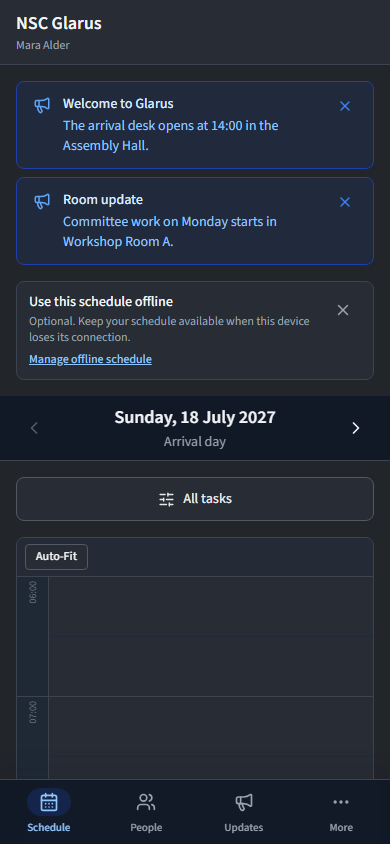
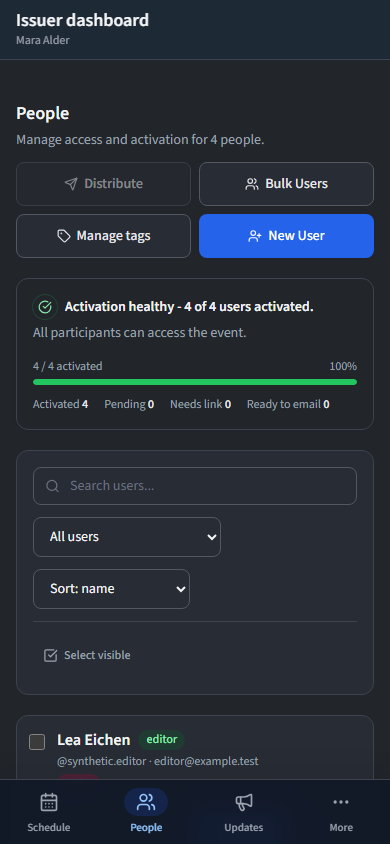
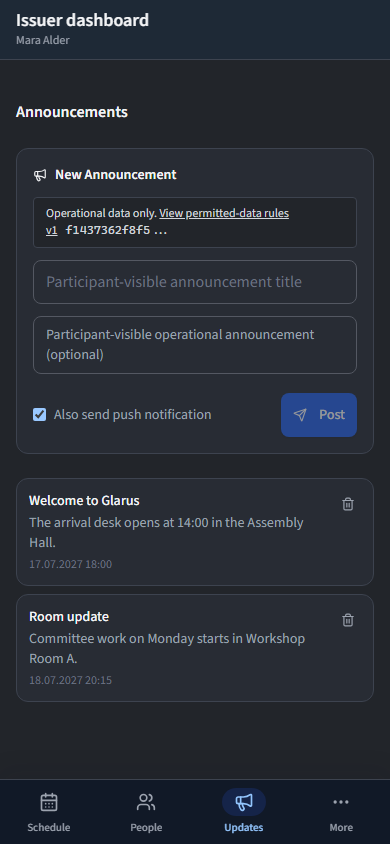
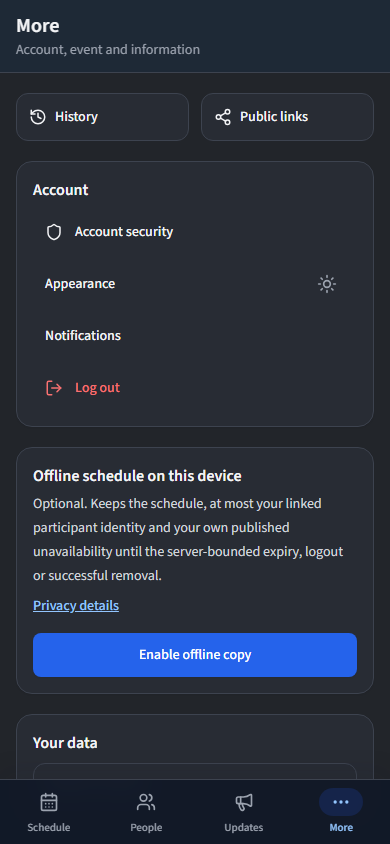
On a phone, an issuer keeps the same four destinations in the bottom bar: Schedule, People, Updates and More. The current destination stays highlighted and the bar remains available on the event-management screens.
- People - create accounts, generate activation links, toggle edit permissions, and delete users within their event.
- Announcements - broadcast messages and push notifications to users in their event.
- History - browse and label publish snapshots for their event. Restore and delete actions are reserved for admins.
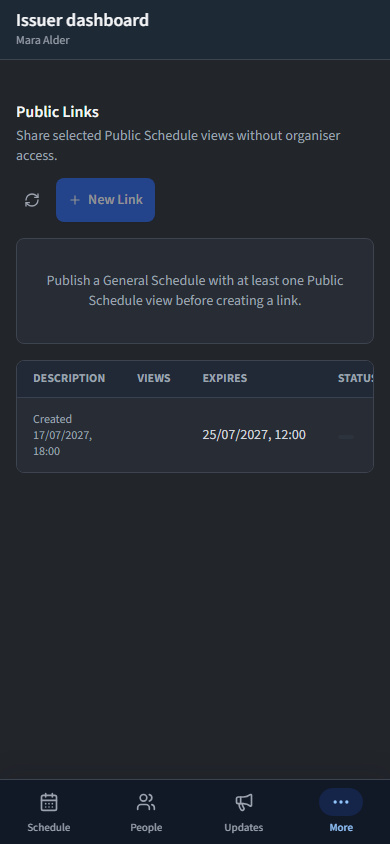
The event selector, security settings, audit log and GDPR tools are not visible to issuers. All data is automatically scoped to their assigned event.