
Manage events and people
Announcements
Use Announcements for concise operational information that every authorised user of the active event. Announcements appear in the Calendar Web App should see. A separate choice can also send a push notification; review the audience and message before publishing.
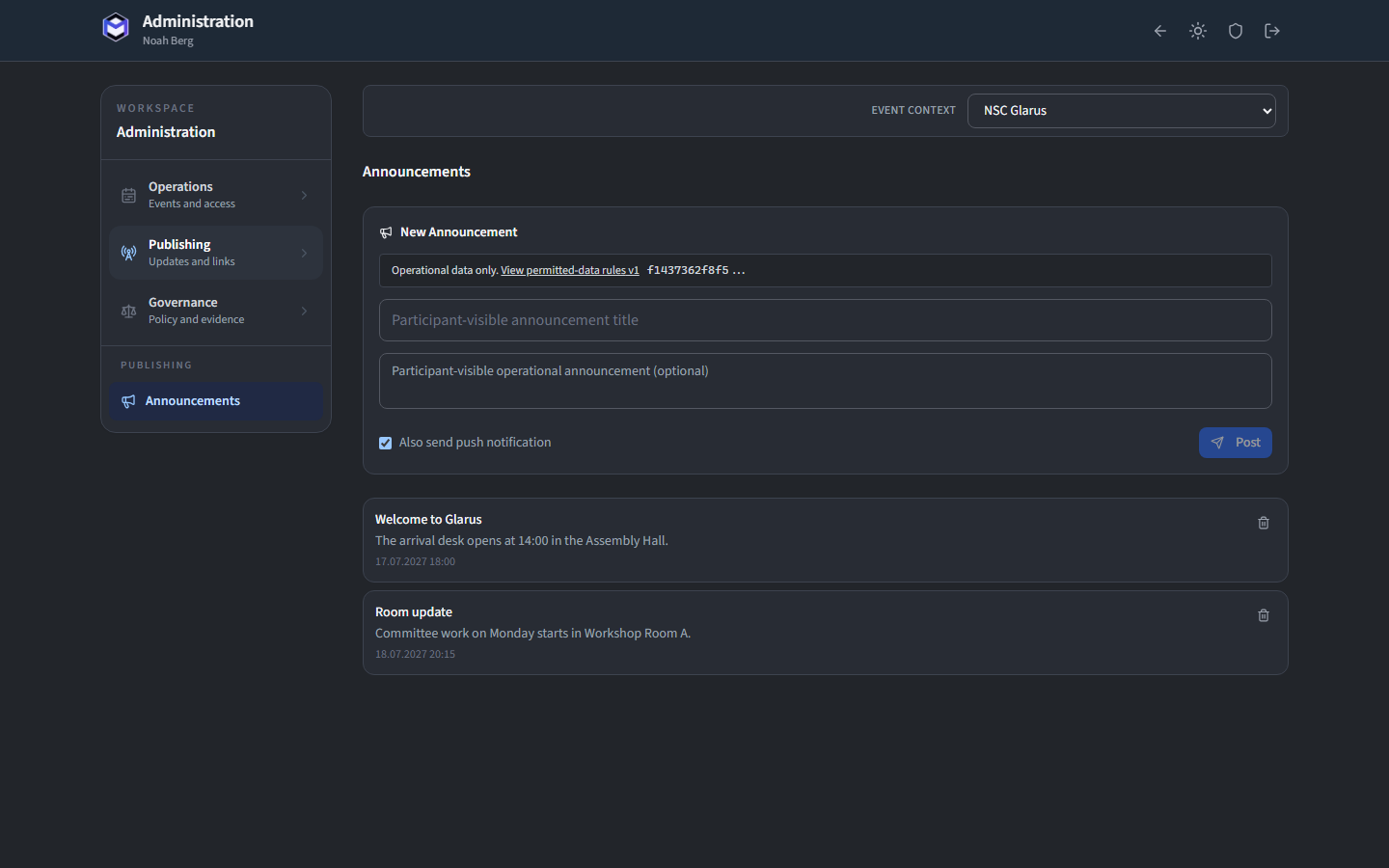
Create an announcement
Click New Announcement and fill in:
- Title - A short headline shown in the notification and announcement list.
- Body - The full announcement text.
- Send Push Notification - Toggle this on to immediately deliver a push notification to all subscribed users.
Click Publish to send the announcement. It appears in the calendar app immediately.
Review or remove an announcement
Past announcements are listed in reverse chronological order. Each entry shows its title, body, creation date and whether a push notification was sent. You can delete an announcement to remove it from the calendar app.
Tip: Push notifications are delivered only to users who have subscribed. All users see the announcement in the app regardless of their notification settings.