
View my schedule
Find your way around the calendar
The Calendar Web App gives authorised participants a readable view of the schedule that was published for them. Linked persons can highlight their own assignments. The calendar runs in a modern web browser and may be installed as a PWA when that is useful.
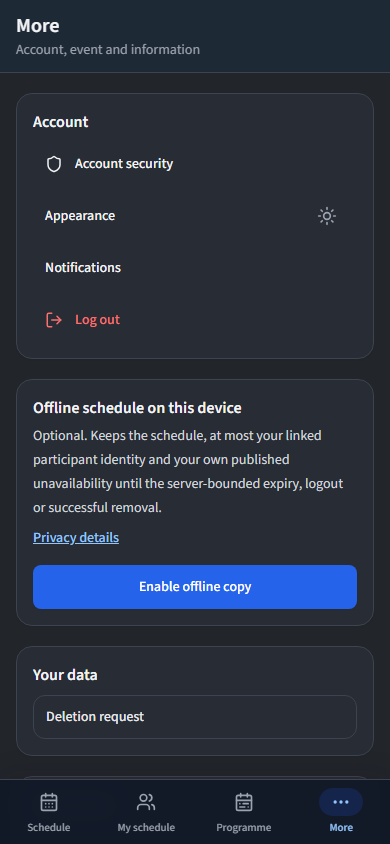
Move around naturally on a phone
The phone view keeps its main navigation at the bottom, like an app. Event managers see Schedule, People, Updates and More. Participants and editors see Schedule, My schedule, Programme and More; My schedule is omitted when the account is not linked to a person.
Open More for account security, appearance, notifications, privacy and legal information, logout, data deletion, and the optional phone-only offline schedule. These actions stay off the schedule itself so the day remains easy to read.
Everyone signed in to the same event can read the same published task details and the names attached to each allocation. Roles still control who may edit, issue or administer the event, and the complete people directory and other people's availability remain outside ordinary schedule responses.
Read the calendar grid
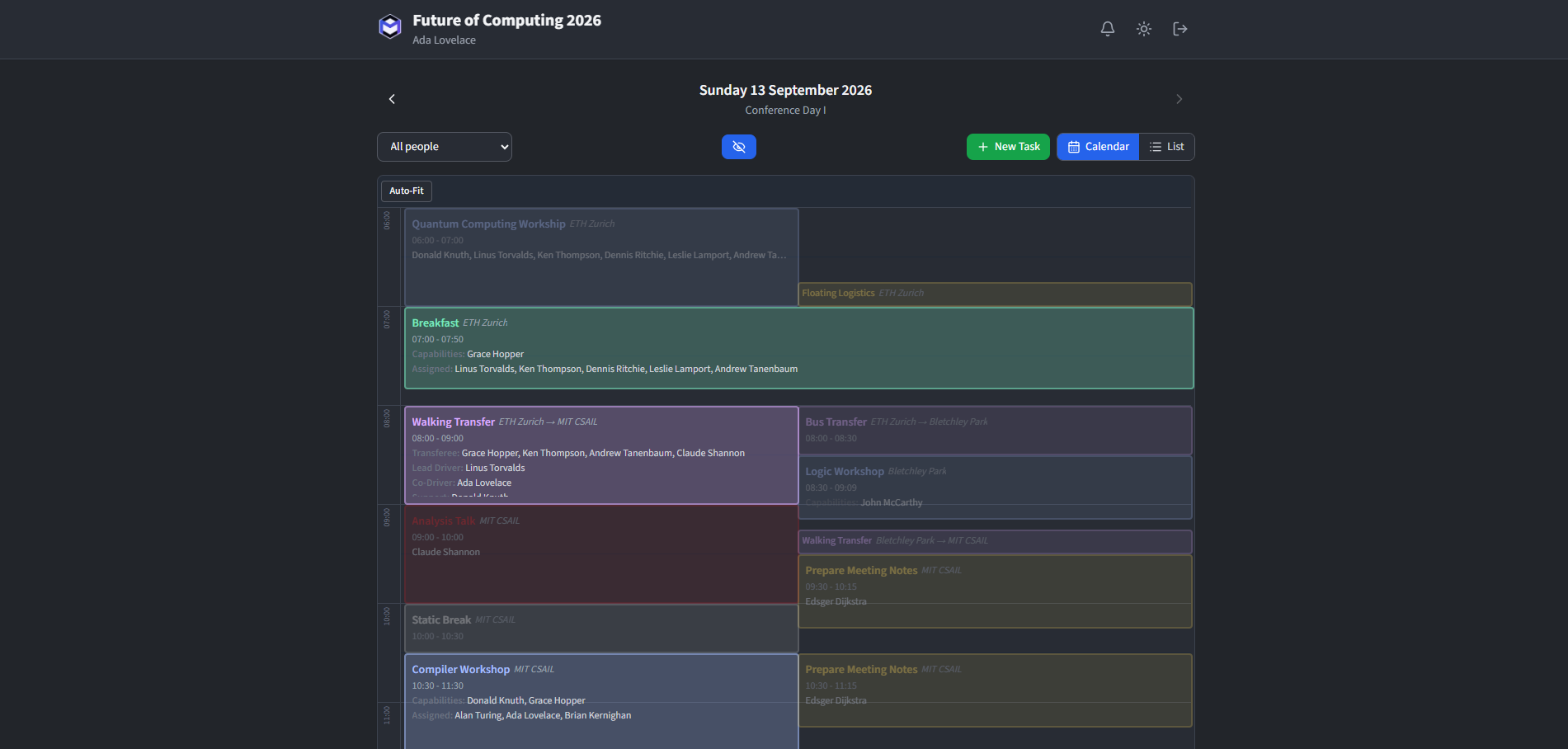
The main view is an hourly timeline grid covering 6 AM to midnight. Each task is shown as a coloured block positioned at its scheduled time, using the colour of its task type. Navigate between days using the arrow buttons or by swiping on touch devices.
Use the list view
Toggle between the calendar grid and a flat list using the view switcher in the header. The list view shows all tasks for the selected day in chronological order, making it easy to scan a full day at a glance.
Filter and highlight people
A person filter lets you focus on specific people. Combined with a highlight mode, tasks belonging to other people are de-emphasised so your schedule stands out.
Highlight modes include off (no filtering), opacity, greyed-out and hatched.
Use keyboard or touch controls
On desktop devices, keyboard shortcuts speed up navigation:
- Left / Right arrow - Previous / next day.
- Escape - Close the task detail panel.
On touch devices, swipe left or right to change day. Tap a task block to open its details.
Install the calendar as a PWA
The calendar app can be added to the home screen on mobile devices for a native app-like experience. Use the browser's "Add to Home Screen" option. Once installed, the app opens in full-screen mode and supports push notifications.