User Guide
Publishing
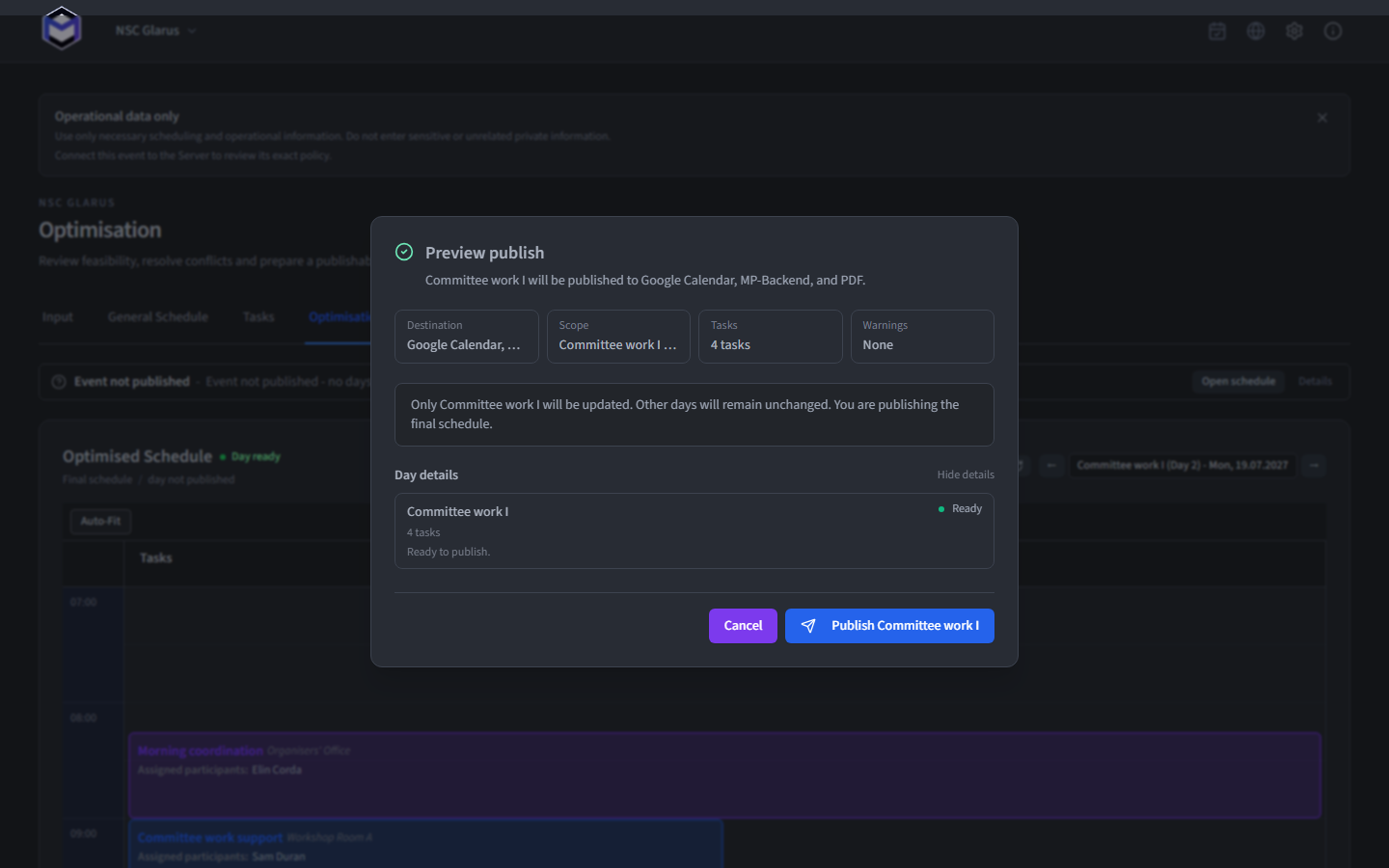
Publishing copies the reviewed final schedule to the configured destinations. It is deliberate and scoped: choose the destination, dataset, and dates before confirming.
From a planning idea to everyone's calendar
Planning stays local until you deliberately publish a finished schedule.
Desktop app
Define, optimise, review, and finalise
MP-OPT Server
Private masterplan and public General Schedule
Google Calendar
Personal calendar distribution
Light A4 portrait schedule with printable task details
People and organisers
Browser, installed web app, calendar, or printable PDF
Choose publish destinations
In Settings, enable any combination of the three independent destinations. Leaving every destination off disables publishing.
| Destination | Result | Required setup |
|---|---|---|
| Google Calendar | Creates or updates calendar events in Google | A connected Google account and calendar |
| MP-OPT Server | Updates the authenticated Masterplan and deliberately public schedule | Server URL, event publish secret and active processor identity |
| Creates a light A4 portrait document with a timeline and readable task-detail pages | Choose a workstation folder once and set the event's PDF title |
<title>_YYYY_MM_DD_HH_mm.pdf. Existing files are never overwritten.Choose what to publish
Masterplan
The private working schedule, including people, tasks, and assignments. MP-OPT Server restricts it to authorised event users.
General Schedule
The deliberately public event view. Check its preview independently because it has a different audience and field set.
From the optimised schedule you can publish the selected day or all optimised days. A date-scoped publish replaces only the covered date; an all-days publish covers the full event schedule represented by that action.
Schedule data lifecycle
Publishing copies a deliberate final state. It does not expose the working project database.
1
Planning inputs
People, capabilities, locations, templates
2
Task instances
Editable event-specific work
3
Optimised result
Suggested times and assignments
4
Final schedule
Reviewed tasks and assignments
5
Published copy
Full event or selected dates
Before confirming
- Review the publish preview and confidence warnings.
- Confirm whether the action covers one date or all optimised dates.
- Confirm Masterplan and General Schedule content separately when Server is selected.
- Check each selected destination is ready and belongs to the intended event.
- For PDF, confirm the title, output folder and filename preview.
- Publish, then read the result for every destination. A partial destination failure must be handled explicitly.