
Calendar Input (CMI)
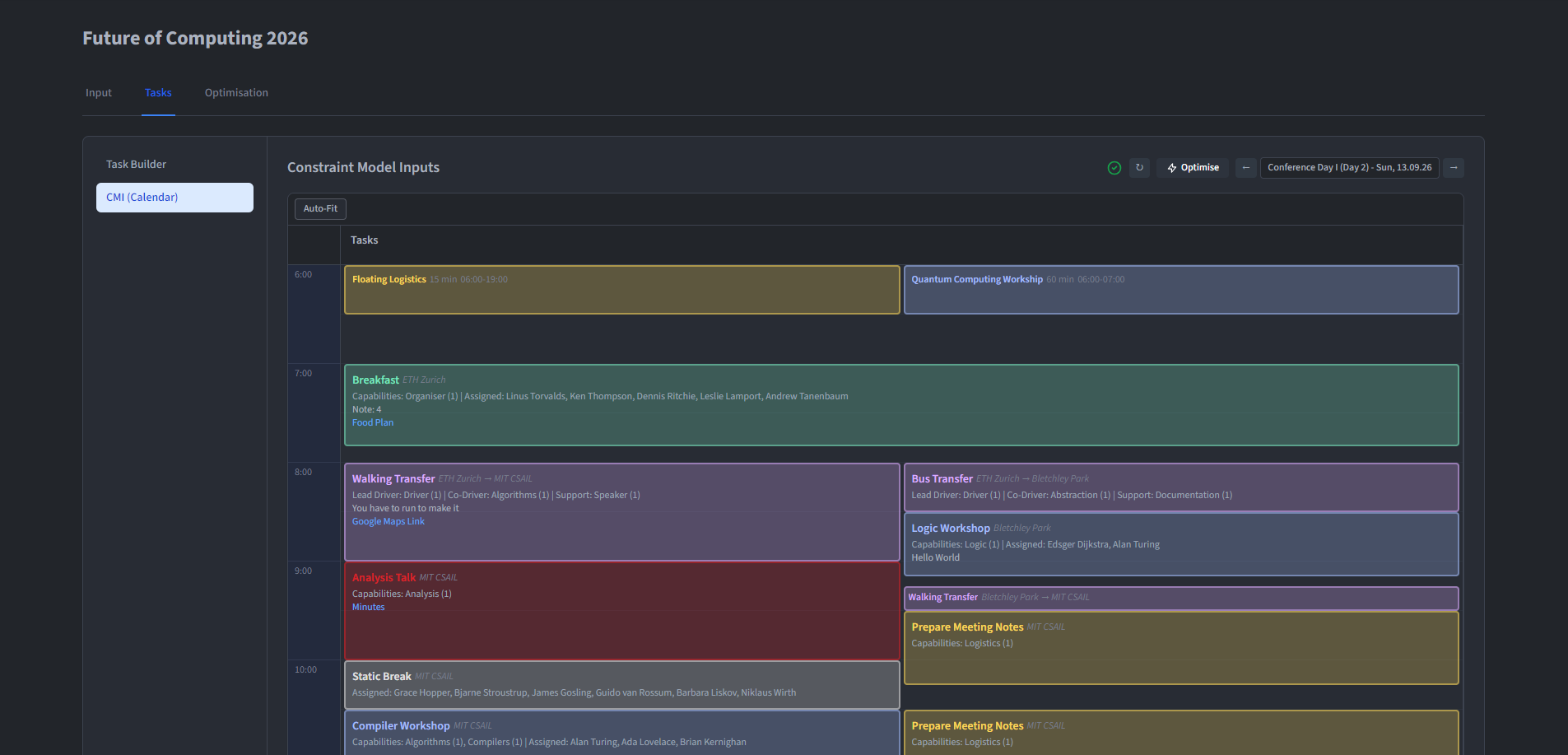
The Calendar Input (CMI) provides a visual, calendar-based interface for viewing and editing tasks. It is found on the Tasks tab under CMI (Calendar) and serves as an alternative to the Task Builder.
Calendar View
The CMI displays an hourly grid for the currently selected day. Each task appears as a colour-coded block showing its name, time, location and assigned persons. Two view modes are available:
- Daily view - Shows a single day at a time. Navigate between days using the header controls.
- Event view - Shows the full event span side by side.
Task Interactions
- Click a task to open the edit modal, where all fields can be changed.
- Double-click an empty time slot to create a new task. A template selector dialog appears first, followed by the task creation form pre-filled with the chosen time.
- Drag and drop a task to move it to a different time slot.
- Right-click a task to open the person replacement menu, which allows swapping an assigned person for another.
- Shift-click multiple tasks to select them together.
Flow Check
The CMI header includes a flow check indicator. This runs the feasibility validation (see Validation and Conflicts) against the current day's tasks and flags any infeasible tasks. Hovering the indicator reveals a tooltip listing the affected task names, and clicking them scrolls the calendar to the corresponding task.